As web professionals are undoubtedly aware, many changes are happening with JavaScript these days. Yes, there is a fair amount of churn in frameworks employed on various projects. We did ask the question (some time ago) – are we relying too much on JavaScript? Regardless of your opinion about that question, we need to be aware that major changes are happening to core JavaScript as well. ES6/ ES2015 (ECMAScript 6) is the latest version making its way into browsers near you (and many other places). For those who have been working with web technologies for quite a while, you may recall that ES5 was released in 2009. Yes, nearly a decade ago. (more…)
As we begin a new year, we thought it summarize some recent information regarding web accessibility. As a web professional, one should already know that making your pages accessible helps your search engine ranking and much more. As an organization, we have been promoting (and encouraging members) to participate in Project Silver (this initiative is focused on a new version of accessibility guidelines) for some time. We encourage you to consider helping with this initiative.
Of course, it is important to understand what we should be doing now to make certain our projects are accessible. We found the following articles to be a helpful review of what is presently happening with respect to accessibility.
In December, Scott O’Hara discussed the trials and tribulations of the title attribute. This is a great review of the current state of use/ disuse of this attribute. In a nutshell, Scott review this venerable attribute since it’s inception in the HTML 1.2 draft (yes, that was in 1993). One of the main issues with this attribute is that most browsers assume a visitor is using a mouse [for example, to see a title tooltip, you must hover your cursor]. Surprisingly, Internet Explorer 10, 11 (and MS Edge) display tooltips (after a short delay) as if the visitor hovered over them. Additionally, when you long press an image in iOS 11, the title attribute also displays in the popover menu. Of course, these sorts of examples do not help much with overall user experience (and are not consistently implemented). Scott also reviews how this attribute is somewhat useful on select elements for screen readers. NVDA and other readers will announce title on landmark elements (header, footer and so forth), but will not on div or other elements (unless role updates are provided as well). Scott provides a number of use cases where the title attribute can be helpful. The bottom line is that the title attribute can be potentially quite useful, but a number of previous bad practices and lack of consistent support among browsers and screen readers is hampering more consistent use. We encourage readers to review Scott’s entire article. It takes about 20 minutes to review and is well worth the read.
In July, IBM updated their accessibility checklist (now at version 7.0). We encourage readers to review it (if you haven’t already). In addition to providing a thorough checklist, we like the approach of combining the revised US Section 508 standards (which also incorporates Web Content Accessibility Guidelines) along with the additional requirements needed to meet European standard EN 301 549. One central checklist for multiple countries. That alone should be useful for those who conduct business in the U.S. and E.U. We encourage web professionals everywhere to make certain they review (and use) such a checklist.
Dennis Lembree provided a very useful article on the topic of building a culture of accessibility (with a focus on leadership roles). Many of us have encountered situations where initiatives fail because there is no clear leadership. What we like most about this article is the specific breakdown (by corporate division) how individual leaders can contribute to a culture of accessibility. We already look forward to follow ups to Dennis’ post and additional insights. We encourage web professionals to take 5 to 7 minutes and read his entire article.
For those using the React framework, Scott Vinkle provides a very useful overview of React’s accessibility code linter. What we found most helpful is that Scott walks you through creating a new React app and describes in detail how to employ the code linter for maximum accessibility. As a web professional, you are employing linting as part of your continuous improvement strategy (aren’t you?). We encourage you to review Scott’s article (particularly if you are considering employing React in applications you develop in 2018). It will take you a couple of hours to review this article (if you work along with his examples).
For those web professionals who are new to web accessibility, we offer a foundational course on this topic via our School of Web initiative. As a current member of Web Professionals, you first course is free.
As you surmise from the above overview, a lot has been happening in the past months regarding accessibility. We encourage you to provide comments regarding your efforts to incorporate accessibility in your projects and tell us what you have been doing to develop a culture of accessibility in your organization. We may be in contact with you to do a follow up post on the specifics you provide.
All the best for a great 2018,
Mark DuBois
Community Evangelist and Executive Director.
Web professionals should be aware of this discussion concerning Web Typography & Layout: Past, Present, and Future. As a web professional, it is important to know what the future holds.
Key takeaways include:
how to avoid being overwhelmed by all the tools and typefaces available today. We need to think of typography and layout as one.
how to move away from frameworks and bring creativity back into layout. We should focus on larger type and readable layout, including proper use of whitespace.
we should help the reader feel like a collaborator.
Three experts—Mozilla’s Jen Simmons, publication design legend Roger Black, and Jeffrey Zeldman (A List Apart)—discuss typography and layout on today’s web: where we are now, and where we’re going. CSS grid can be a very helpful tool. Jen Simmons provides a number of examples on her labs.jensimmons.com site.
Typography can encourage long-form reading and not just scanning.
What are the most exciting areas of cutting-edge experimentation in typographic technology and digital layout, and what new skills will we need to design tomorrow’s web content? At a minimum, we should understand CSS grid and variable fonts and how they can be properly applied. Layout and typography were connected in the age of metal type, and they will be again. We must make our pages readable and employ the time tested skills that were employed by typesetters so long ago. We should think in terms of properly sized type (which is responsive given that our content may be consumed on phones, tablets, desktops, or other devices).
This discussion also reviews the history of layout on the web, and what multi-device reading and orbital publishing means to the practice of publication design as we move away from frameworks. We need to bring creativity back into layout (including layouts that break the mold). We must fully understand the implications of CSS Grid and its portents and help the reader feel like a collaborator. There is a new wave of user customization, and we need to understand how it impacts our designs.
The following material was provided by Helen Miller (TemplateMonster). We thought Web Professionals should be aware of this new marketplace.
TemplateMonster has over 15 years of experience, and offers a ‘boundless ocean’ of wordpress themes and 60,000 templates holding the promise of making users’ lives easier and more enjoyable. Having the right business wordpress theme can jump start any project and save you a tremendous amount of time and effort. As of now, TemplateMonster has become a digital marketplace and welcomes talented vendors from all over the world.
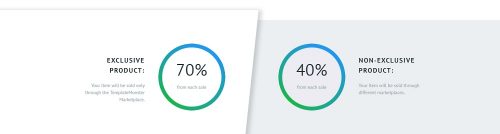
So, what’s the idea behind the digital marketplace? That’s simple as that. This marketplace is the right place where even a beginner can start earning their first $1,000 with the focus on what matters. Starting a business is challenging, but the digital marketplace opens a new world of possibilities. For more experienced web developers this means a way to a more recognizable and reputable business with an income up to $10,000. It still makes sense if you’re looking for opportunities to increase your revenue streams and to earn extra money. How about earning up to 70% commission from each sale of your digital product?
Why is This Important to Web Professionals?
Important thing is that both beginners and professional web developers can benefit from becoming a vendor on TemplateMonster digital marketplace. Simply put, this marketplace is a huge platform that gathers together the most skilled and talented professionals from the web development industry in a single place. What’s more, depending on the earnings a vendor wishes to get, he can sell either exclusive or non-exclusive products. So, if you’re a professional web developer willing to go any length to achieve your goal, get up to 70% commission from each sale for your exclusive products. Here’s a head’s up for you – it’s worth doing it for the long run.
Top Reasons to Become a Vendor on TemplateMonster Digital Marketplace
Everything in this world has a reason and that reason has a purpose. With a great purpose to help gifted web developers to succeed, there’s a number of reasons why to join the digital marketplace. Since it offers a leeway for gaining the attention, getting a wider customer reach, and making your name more recognizable for the audience, don’t waste your valuable time and become a vendor today.
So, what’s the cut for a vendor?
Once you become a vendor, you get one account for selling both exclusive and non-exclusive products. (In comparison, on Theme Forest vendors can sell either exclusive or non-exclusive products.)
It takes 12 hours for a digital product to be reviewed, 1-3 days for more complex digital works. (2 weeks is an average time on ThemeForest.)
No limitations on the number of products to upload or send for review at once. (On ThemeForest, a vendor can upload 1 product to one category at once.)
With a ’Quick Start’ a vendor can earn higher commission from each sale faster.
With the ’Ticket System’ a vendor can get quick responses from the Review Team.
The ability to assign more than 1 category to the digital products.
No location restrictions. Net15 payments should be enough.
How to Become a Vendor on TemplateMonster Digital Marketplace
Here are 4 basic steps needed to become a vendor on this digital marketplace.
Sign in the author application. Here, you need to specify what types of digital products you create and whether you’d like them to be sold on the marketplace.
Get in touch with the personal manager. No worries, the personal manager will take care of all the organizational issues, clarify the details about the files you submit and the way you’d like to cash your earnings.
Once the product page is designed, you’ll receive an email notification.
Start earning money. Receive earnings from the themes sod on a monthly basis.
Why Does It Matter Now?
Start with the experience and interests you can’t get enough. Become a vendor on the digital marketplace to make more money and receive top rankings from the clients. However, it’s important to note, your earnings directly depend on the quality of the themes you sell. That’s right. The better the product you sell, the bigger the chance to earn more income. What’s more, each item can be rated and commented by a client. This may leave the more positive feedback and higher ratings.
Don’t waste your valuable time and promote your themes. Here’s a head’s up for you – TemplateMonster is known for its seasonal promo campaigns and discounts. Thus, if you’re really serious about making money as a professional web developer, decide whether you want those discounts to be applied to your digital products or let them stay available at the regular price. Still, you can promote your digital products through multiple venues like a personal blog, social media, affiliate program, or site. Choose your way to winning the battle for attention.
Since TemplateMonster digital market accepts both exclusive and non-exclusive digital products, the vendor is responsible to decide whether to sell it exclusively at TemplateMonster and get up to 70% commission from each sale, or on other sites also and get 40% commission maximum. That’s an issue worth thinking about, isn’t it?
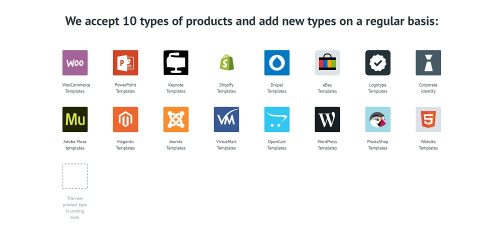
Besides, take time to learn the types of digital products allowed submit to the digital marketplace.
Why Should a Web Professional Take Advantage of These Offers/Opportunities?
If you’re a professional web developer, you have no room for error. Take a chance to expand your client base and boost your earnings. Once you become a vendor on the digital marketplace, a team of marketers, designers, and coders will review your digital product. If built properly in accordance with the requirements explained in the ’Vendor Agreement’, you’ll be suggested with the lowest and the highest cost of the digital product. However, as a vendor, you can adjust it within a 15% price range.
The best part is that in case you face any hurdles, your personal advisor will never leave you alone. With your personal advisor, you can get rid of all that worries.
If you’re passionate about what you do and excited about how you do it, get involved and become a vendor. With the human desire to grow, there’s always room for improvement. Taking advantage of the opportunities the digital marketplace offers can enhance your career and achieve your leadership goals.
The bottom line is that you have a choice. Grab the moment to get involved in TemplateMonster’s staggeringly powerful collection of beautiful website templates. Take your business to new heights.
The following article was written by Helen Miller. Helen Miller is a freelance author who is always inspired to write on web-design and web-development up-to-date subjects. Helen has a great interest in IT sphere and always has fresh ideas to share. She also cooperates with TemplateMonster.com. If you want to be aware of the latest tendencies in web-design follow her on Facebook, Twitter, and Linkedin.
If you are reading this article, you might already have your own blog. In case you are only thinking of launching the one, you can browse WordPress blog themes developed by TemplateMonster and choose one that fits your style.
Running a blog is relatively simple, there are millions of the existing resources out there, but making your blog really popular is rather challenging.
We believe that the best way to run a successful blog is:
To write high quality posts that people like. Choose a niche you are interested/expert in and help people solve their problems.
To engage your audience on social media and respond to their queries.
To answer your audience questions in the comments section.
To connect with other bloggers, try guest posting.
To invest in your blog design like a good theme.
To grow your subscriber list by using social media.
To submit your blog to search engines, the likes of Google, Yahoo, Bing.
We can continue this list with many more items, but the topic of the blog post suggests that Top 7 Popular WordPress Plugins for Successful Blogging must follow. So, here they are, hope they will help.
P.S. Please check out this link that will be useful if you are serious about your decision to become a famous blogger. 10 Ways to Earn Money and Become Rich on the Internet – this is a free eBook highlighting the following aspects: The Launch of Your Own Online Business, Money Making Practices That Require Your Skills, Participation in Online Projects.
WordPress is technically quite a good platform for SEO right out of the box. However, that doesn’t mean you can’t improve it further. This plugin is written from the ground up by Joost de Valk and his team at Yoast to improve your site’s SEO on all the required aspects. But that’s not all; while this Yoast SEO plugin goes the extra mile to take care of all the technical optimization, more on that below, it first and foremost helps you write better content. Yoast SEO forces you to choose a focus keyword when you’re writing your articles, and then makes sure you use that focus keyword everywhere.
W3 Total Cache improves the SEO and user experience of your site by increasing website performance, reducing download time via the integrated features like content delivery network (CDN).
The only web host agnostic WordPress Performance Optimization (WPO) framework recommended by countless web developers and web hosts. Trusted by numerous companies like: AT&T, stevesouders.com, mattcutts.com, mashable.com, smashingmagazine.com, makeuseof.com, kiss925.com, pearsonified.com, lockergnome.com, johnchow.com, ilovetypography.com, webdesignerdepot.com, css-tricks.com and tens of thousands of others.
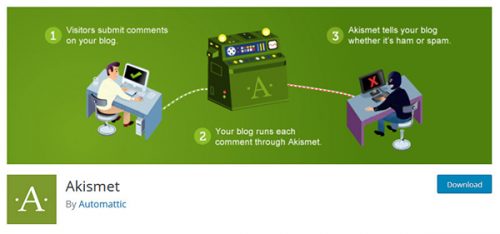
Akismet checks your comments and contact form submissions against the global database of spam to prevent your site from publishing malicious content. You can review the comment spam it catches on your blog’s “Comments” admin screen.
Major features in Akismet include:
Automatically checks all comments and filters out the ones that look like spam.
Each comment has a status history, so you can easily see which comments were caught or cleared by Akismet and which were spammed or unspammed by a moderator.
URLs are shown in the comment body to reveal hidden or misleading links.
Moderators can see the number of approved comments for each user.
A discard feature that outright blocks the worst spam, saving you disk space and speeding up your site.
Jetpack keeps any WordPress site secure, helps to increase traffic, and engage your readers.
Traffic and SEO tools Jetpack includes: Site stats and analytics, Automatic sharing on Facebook, Twitter, LinkedIn, Tumblr, Reddit, and WhatsApp, Related posts, Search engine optimization tools for Google, Bing, Twitter, Facebook, and WordPress.com
Stop worrying about data loss, downtime, and hacking. Jetpack provides: Brute force attack protection, Downtime and uptime monitoring, Secured logins and two-factor authentication.
Add rich, beautifully-presented media — no graphic design expertise necessary: A high-speed CDN for your images, Carousels, slideshows, and tiled galleries, Simple embeds from YouTube, Google Documents, Spotify and more, Sidebar customization including Facebook, Twitter, and RSS feeds, Extra sidebar widgets including blog stats, calendar, and author widgets.
Create a connection with your readers and keep them coming back to your site with: Email subscriptions, Comment login with Facebook, Twitter, and Google, Fully-customizable contact forms, Infinite scroll for your posts.
The plugin has an entire team of Happiness Engineers ready to help you. Ask your questions in the support forum, or contact them directly.
Easily create and add forms to WordPress. Fields are easy to add, remove, and re-order. The contact form will let the user send emails to a site’s admin, and also send a meeting request to talk over phone or video.
Features: easy form edit, multiple forms, confirmation emails, no templates to mess with, and an option to redirect visitors to any URL after the message is sent. Includes Google reCAPTCHA and Akismet support to block spammers. Spam is no longer a problem. You can add extra fields of any type: text, textarea, checkbox, checkbox-multiple, radio, select, select-multiple, attachment, date, time, hidden, password, and fieldset.
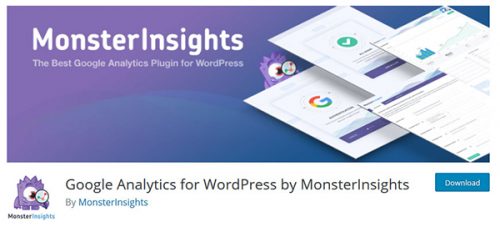
You shouldn’t hire a developer to add Google Analytics to your website with MonsterInsights, a complete Google Analytics for WordPress plugin that’s EASY and POWERFUL.
MonsterInsights allow you to connect your WordPress website with Google Analytics, so you can see how visitors find and use your website, so you can keep them coming back. Simply put, the plugin will show you the stats that matter.
With almost 15 million downloads, MonsterInsights is the most popular Google Analytics plugin for WordPress.
At MonsterInsights, user experience is #1 priority. That’s why it was made to be extremely easy to connect and view your Google Analytics reports from inside your WordPress dashboard. Its tracking settings and workflows make MonsterInsights the most beginner friendly Google analytics plugin in the market.
Redirection is a WordPress plugin to manage 301 redirections, keep track of 404 errors, and generally tidy up any loose ends your site may have. This is particularly useful if you are migrating pages from an old website, or are changing the directory of your WordPress installation.
New features include: 404 error monitoring – captures a log of 404 errors and allows you to easily map these to 301 redirects, Custom ‘pass-through’ redirections allowing you to pass a URL through to another page, file, or website. Full logs for all redirected URLs, All URLs can be redirected, not just ones that don’t exist, Redirection methods – redirect based upon login status, redirect to random pages, redirect based upon the referrer.
Existing features include: Automatically add a 301 redirection when a post’s URL changes, Manually add 301, 302, and 307 redirections for a WordPress post, or for any other file, Full regular expression support, Apache .htaccess is not required – works entirely inside WordPress, Redirect index.php, index.html, and index.htm access, Redirection statistics telling you how many times a redirection has occurred, when it last happened, who tried to do it, and where they found your URL, Fully localized.
Do you consider this brief compilation of Top 7 Popular WordPress Plugins for Successful Blogging useful? Are you going to install any of them on your blog? Did you already try out any of the above plugins. Please drop us a line at the comments section. Your feedback is highly appreciated.
The U.S. Congress repealed the FCC broadband/ Internet privacy rules established in the latter days of the Obama administration in late March, 2017. President Trump signed this repeal on April 3. Untouched, those rules would have gone into effect later this year. Those rules were an outgrowth of the Federal Communication Commission’s battle to protect net neutrality. You may be asking yourself – why does this matter, what will this change, and how will you and your clients be affected.
What you need to know:
Although most Internet Service Providers (ISPs) have said nothing has changed, they are free to change their policies at any time going forward. Consumers will not have a choice (to opt-in or opt-out).
It will be much easier for ISPs (think AT&T, Verizon, Comcast and similar corporations) to track your specific browsing history across all devices.
If an ISP decides to intercept search requests, they could send results from their own marketing databases (instead of the results someone might expect).
There is also a risk that such “injection” could be hijacked or compromised by malicious individuals. These large databases of consumer information would also be prime targets for hackers.
Previously, if you didn’t like the amount of data collected by a corporation (for example, Facebook), you could simply choose not to use their services and select some competitor. That will no longer be an option since your ISP will be the one tracking all your access (potentially).
There will not be any filters regarding your browsing history and how it can be used. You will have very limited control over what is shared with others (or sold).
Why this is important
In a nutshell, this is game changer (particularly in the U.S.). Up to this point, individual sites collected data (and used it to target ads). As a general rule, if a service appears free on the WWW, you are likely paying for it with your personal data. Facebook would be an excellent example of this. Using this company an example, Facebook wants you to visit Facebook so they can mine the data you share and can then sell targeted ads. These sorts of ads are likely to generate more revenue for the advertiser. That being said, each company wants to keep the data they collect about you to themselves. Frankly, information equals power these days. The more a company knows about you (and your browsing habits and searches), the better they can target ads.
That being said, there are limits. Most of us have smartphones, tablets, laptops and other devices. Trying to identify the common visitor across all these devices is a lot easier when the Internet Service Provider can be involved. One can no longer opt out by choosing an alternative company (perhaps DuckDuckGo instead of Google or Bing for Internet searches, for example).
Those of us who have been alive much longer than the WWW understand that limits were set in place for other technologies. For example, phone companies could not collect specific information that you were calling a physician or attorney and then target you with ads for similar types of services. The previous rules likened much Internet traffic to be similar to telephone traffic (and under the same guidelines).
You will have less control of how your online history is used
With the elimination of these Internet Privacy rules, more of your online history will be available to more companies and you will have less control over how it is used. In addition to now being able to collect vast amounts of information from their customers, each company can use said information to provide targeted ads or can sell the collected data to others. Each company is free to change their policies at any time. That is why this is such an important change.
Undoubtedly, some of your customers will have questions. More sophisticated customers will have detailed questions. At a minimum, we recommend mentioning these main points:
Internet Service Providers are able to change their policies at will. There is now much less oversight by the FCC and FTC.
It is likely there will be more tracking/ recording of your browser history and this data may be used for more targeted advertising. Much more data is likely to be collected (and shared or sold). As a consumer, you will likely not have the option to either opt-in or opt-out of such data collection. Many do not have the luxury of being able to easily select another ISP.
For additional information, you may wish to review this FAQ regarding what happens as these rules are cancelled.
For those who wish to pursue more privacy, here are some of the things you can do today:
Download and use the HTTPS everywhere extension for Firefox, Chrome, and Opera
Consider employing a tool like Privacy Badger to block spies and hidden trackers on sites you visit
You might also want to introduce some Internet noise (a tool which loads random sites so your actual searches are obscured by large amounts of nonsense searches). This latter tool certainly will not protect your privacy; it will only generate additional “noise” which will obscure your actual search interests among a larger amount of random searches.
[updated Sept. 18, 2017] You might also want to review this online privacy guide. They provide a number of good suggestions.
The bottom line is that there will be more data available for marketers. While this may be a plus for Web marketers, this is a giant step backwards for privacy advocates.
This has the potential to allow much more focused ads as big data and predictive analytics are brought to bear on an ever increasing amount of consumer information. If one is in marketing, they need to remain aware of consumer concerns.
Practicing web professionals should leverage this change as an opportunity to inform and educate their customers/ clients regarding what may be collected and how best to deal with this new reality (perhaps recommending using a VPN and plugins like those mentioned above).
Is the traffic encrypted? Is there a single shared password for all encryption?
Would the VPN leak your DNS queries to your ISP?
Does the VPN support IPv6?
We anticipate that this is only the beginning of the discussion regarding increased awareness of privacy issues on the part of consumers and professionals alike.