by Mark | Jan 26, 2023 | Education, Profiles Of Success
Today we are highlighting some of our most recent members to have earned our Web Animator certification. Nine students from Pennsbury High School West in Fairless Hills, PA, recently earned the certifications, the first in Pennsylvania to do so. We caught up with a few students, including one in particular who excelled in the course, as well as Cathy C., who teaches the course. Cathy has already seen the impact it has on students in engaging them and helping them to meet the state’s future-ready initiatives. She knows she has opened up some student minds to think about possible creative career pathways.
Uncovering Hidden Talent
Teachers know they make a difference every day. Sometimes the changes they help students achieve are small, and sometimes they are big. One of Cathy’s students, “J,” was pushed to take the class but was not really interested in being there. However, Cathy saw what every educator hopes for–a student discovering his or her passion and realizing the world does need his or her creativity. J. was the quiet student who found out that the way he sees the world, his unique creative sense, is something that should be shared, and that his medium is animation.
Cathy talked about her experience teaching J.: “He just kept saying, ‘I’m not creative. I can’t do this. My mother is making me take it.’ Now he’s one of my top students, and he found out that he really is creative. He comes at problems with such an unusual viewpoint, and the other students can’t wait to see his work because it’s always something completely out of left field. He’s discovering that this thing that he always thought was his biggest limitation is actually an asset, and he loves it. He now has other students going to him for help in working on their animations.”
We caught up with J. to hear in his own words how he had enjoyed working through the Animation course and earning his certification: “At first I didn’t want to take this class. I liked the class AP Comp Sci A because you just had to follow the rules, and the program would work. This class, Advanced Web Programming and App Design (the animation class) didn’t sound like that because I’m not creative, but my mom wouldn’t let me drop the course. When Mrs. Costello put my nest-egg animation on the screen, everybody laughed. At first I thought they were laughing at me to make fun of me, but Mrs. Costello said, ‘No, J., they’re laughing because they think your animation is funny.’ But one of the other students said, ‘Yeah, we LIKE it!’ After that, everybody always wanted to see my animation on the projector first. Everybody laughed because they thought my animations were creative and funny. My classmates even asked me how I did things so I could teach them.
“Mrs. Costello says she doesn’t own the knowledge, and that means we can all have different right answers so mine can be right too! I was really proud of how my music video project came out, and my classmates kept wanting to see it again frame by frame because of how I made the tears fall on the animated kid’s face and the way I matched the animation to the music. That was really hard, but it meant a lot to me to get it right, and I was happy that everybody saw how much work I put into it. In conclusion, I really liked taking this class because I found out I’m creative and funny, and I’m sad this class is ending on Tuesday.”
What J. thought was going to be a class he hated turned into the class where he was a cool kid. He discovered that what makes him different is also a creative gift. Who knows? He may be the next Tim Burton (Director of Charlie and the Chocolate Factory and Frankenweenie) or Dan Harmon (Creator of Rick and Morty).

Reaction From Other Students
Like J., other students in the class thrived as well. Here are a few of the things they had to say about working the course and becoming certified Web Animators:
When asked about the experience of working through the course and earning the certification, one student said, “I liked the course and certification because they were flexible. I could work through tutorials and assignments in a less structured way.” Another said, “The industry certification is very important to me. I’m planning to pursue computer science as a college major, and the Web Professionals Global certification is a valuable way to distinguish myself from every other high school computer science student.” And another student remarked, “I wasn’t thinking of animation as a career option, not because I wasn’t interested in it, but because it didn’t even occur to me as an option. This has opened my eyes to a new possibility that I definitely want to explore further.”
We asked the students what it was like to show the projects they had built on the path to certification. One student said, “My family was impressed, but it was actually more satisfying to watch it with the rest of the class. My parents thought it was cool, but they didn’t understand the work that went into it like my classmates did.” Another remarked, “It was fun to show off my cultural music video, because I put in a lot of inside jokes and things only people from Pakistan would get. But then it was also fun to show it in class, because I could EXPLAIN all the things that only people from Pakistan would get! I liked being able to use a school assignment to show off the things I’m proud of about my culture.” And another student proudly said, “My father was bragging at Christmas that I’m going to graduate high school already having an industry certification in my field, even before I get to college.”
Finally, we asked the students what they would tell other students interested in earning the Web Animator certification. One student stated, “The projects gave us an opportunity to learn in a relevant, fun context. We learned the most by applying our skills and knowledge to a real problem.” Another said, “This is a class and certification that celebrates individuality. Your animation won’t look like the one done by the person next to you, and that’s the most fun part of the course.” Finally, one student talked about the sense of accomplishment: “There’s no satisfaction in answering easy questions, so I like how complex animation is. When you finish a project, you’ve done something you can be proud of.”
Cathy talked about how word is getting around the school about her class: “The Animation class and certifications have created some buzz around school. We’re about to start course selection for next year, and I’ve already had two kids I’ve never taught before come ask me about it.”
Mark DuBois, Executive Director of Web Professionals Global, said, “Reading about J. and the other students in Cathy’s class makes it all worth it here at Web Professionals Global. We are so proud to support these imaginative and innovative students as they immerse themselves in the world of animation. The certifications and knowledge they have earned will stay with them forever, no matter what their futures hold. We welcome these new members into our professional association and look forward to being part of their bright futures.”
Connect With Us Today
If you are a parent, teacher, student or adult learner who is interested in hearing more about how Web Professionals Global can help, contact us today.
by Mark | Jan 16, 2023 | Web Security
Psychology?
Human behavior is all about psychology, isn’t it? It is the study of our mind and behavior. And why should our use of passwords not fall into this category? The folks at LastPass recently published a report about their findings concerning password behaviors. [Note: link will open in a new browser tab/ window.] They found that 62% are still reusing passwords. Yes, in 2022. Even when people became aware, only 25% started using a password manager/ wallet. Yes, even Web Professionals Global did a recent post encouraging individuals to use a password wallet. To learn more about their findings, please visit the LastPass link above. It is easy reading and has a lot of useful information. Given that many may not be using a password wallet, what can we as professionals suggest?
Option 1 – be consistent
Each site you visit should have a unique password. Period. Of course, if you insist on not using a password wallet, what sort of methodology could you employ? Here is one simple example. Obviously, you may want to try something different but analogous to this approach.
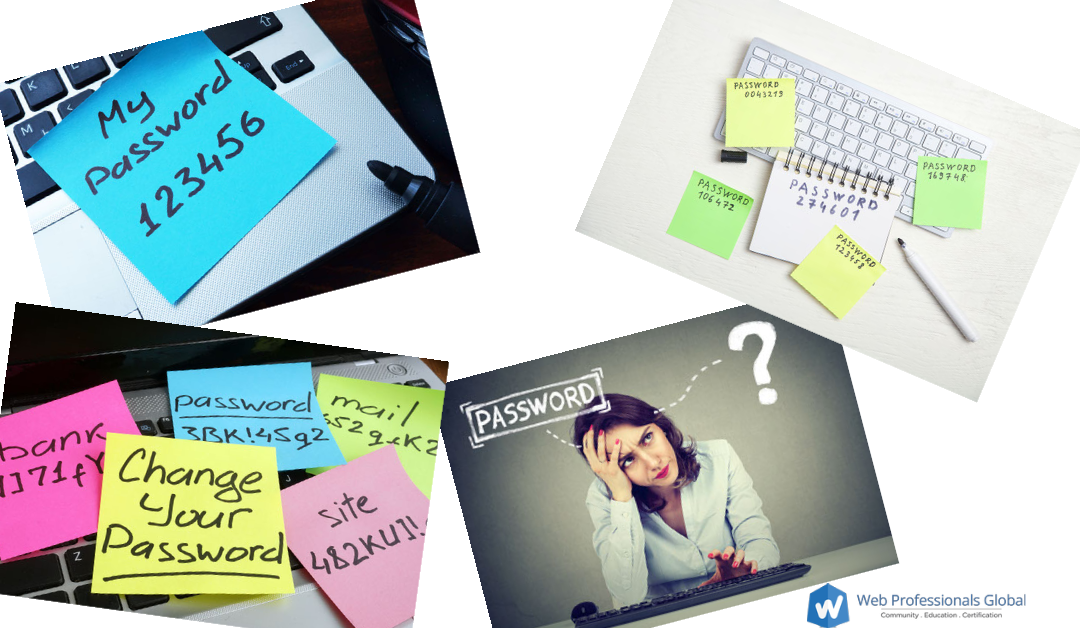
Consider you want to have a unique password at Amazon and Facebook (perhaps you use both frequently). How could you make a unique password for each site and remember it without using a password wallet or writing them down and pasting them under your keyboard (what could be more secure – yes, we are being sardonic).
Consider that the word Amazon has 6 letters and a com top level domain. One could consistently count the letters in a domain and use the first and last letters – for example A6N (in the same way we end up with A11Y for AccessibilitY and I18N for InternationalizatioN. Such a password would be incredibly easy to crack. So, we begin with the top level domain as part of a passphrase. Thus our password for Amazon becomes COM-A6N. Still pretty easy to crack as it is less than 9 characters. We could append our favorite flower to this passphrase followed by a number such as COM-A6N-sunflower42. Now we are getting somewhere. Facebook would become COM-F8K-sunflower42 and so forth. Of course, we could add more consistent words to our phrase. Longer passphrases are more difficult to crack with various tools. Obviously, if someone were to guess our scheme, they would be able to access our accounts easily. By itself, this may not be the best option. However, it still beats reusing the same password over and over, doesn’t it?
Option 2 – Why use your name or email?
While we are working along these lines, one often is asked for a username. Of course, many simply rely on the tried and true first initial last name or some combination of initials and surname. It doesn’t have to be that way. If you are able to specify your own username (and that can be a big if as many sites now ask for your email and simply use that as your username), do so (and be creative).
For example, instead of mdubois or markdubois as a username at a site, I could use favorite fossils as a username. For example, trilobites or trilobites42. There is nothing tying me specifically to that fossil so that should be reasonably safe for a username. No, hackers, don’t bother as I am way ahead of you on this.
Option 3 – Always 2FA
We have mentioned this before, but if you really can’t use a password wallet for some reason, at a minimum, you should always activate 2 factor authentication (2FA). Yes, we addressed this as part of our discussion on web security in 2021 and employee burnout in cybersecurity in 2022. Not only do you need to know your password, you also need to have something (such as a mobile phone with an authentication app). Simply knowing the username and password is not enough. Many sites allow for the use of 2 factor authentication these days. If they don’t you should contact them and ask for it specifically.
Combination?
If you really can’t use a password wallet, consider combining all the above approaches. Set your username to something meaningful to you but not readily obvious to others (in my simple example trilobites42). Set your password to something you can easily figure out by looking at the site and knowing something specific. For example, COM-F8K-sunflower42. And employ 2 factor authentication as well.
But wait, didn’t you tell me to change my passwords periodically in your prior web security article in 2021? Yes, we did. So we could expand upon the passphrase theme and use a password of winter23-COM-A6N-sunflower42 for our Amazon password. then, we could change that to spring23… when the time comes. We would change our passwords every quarter and each would be unique for that site. I know some sites will not let you change a password which is similar to the one you presently use. Just be consistently creative on your sites.
And, you can always reset passwords if all else fails and you forget. Or, you could just use a password wallet? Really, they aren’t that tough to use. Yes, it is important to grow beyond your comfort zone and these tips are meant to serve as a starting point. If you don’t want to use a password wallet, be creative. Use the above ideas as a starting point, not the end result. We know you are creative. Apply your creativity to the creation of your unique passwords on each site.
Editorial sidebar
While we are thinking about passwords and resetting them, what about all those security phrases you are asked to update with your bank and related institutions. Given all the social media “quizzes” which mine information such as your high school mascot (really, why on earth would anyone willingly share that information – oh, yeah – so they can see what they would look like as a dog or whatever – c’mon folks – never fall for those online quizzes – they are just stealing your information). But, wait, I already know what my spirit animal looks like. Oops. How does one deal with this if your personal information is already out there. Make it a point to lie on those security questions. For example, if one of the questions is what was the name of your high school – lie. In part. Perhaps append a noun to everything. Again, you just have to be consistent. For example, I would tell the security answer to the high school question that I went to Washington Grass high school. My father’s middle name was Fred grass (no, it wasn’t even Fred). Now I have a little more security as I must know the actual answer and the word I append to everything. Again, be consistent. Not a perfect solution by any means, but if your information is already out there…
What are your thoughts? As always, we look forward to your comments and insights.
Best always,
Mark DuBois, Executive Director
Web Professionals Global (aka World Organization of Webmasters)

by Steve Waddell | Jan 6, 2023 | Employment Issues
LinkedIn recently published an article discussing the trend of companies in the tech world shifting toward hiring contractors instead of full-time employees. As Web Professionals Global is made up of tech professionals who work in a variety of roles and capacities, we thought it important to highlight this trend. Why is this happening?
First, let’s look at some of the pros and cons of being a contractor as opposed to a full-time employee.
What are the pros?
- Freedom to choose clients and customers
- Ability to work from wherever
- Ability to set own hours
- Flexibility to drop difficult clients
What are some of the cons?
- Less job security
- Fewer (or no) benefits like 401(k), healthcare options, etc.
- Fewer colleagues can mean less camaraderie and more isolation
- Limited career development opportunities
Put simply, more companies are turning to contractors because they can be hired at a lower cost than full-time employees. For example, a full time employee must be paid a salary and benefits. Those benefits can amount to 50% or more additional expenses beyond base salary. In this tough economic environment, tech companies have engaged in mass layoffs. However, work still needs to be done. Companies use contractors to continue operations without the added cost of retirement benefits, healthcare benefits, and more. Additionally, many contractors work remotely, which saves companies on overhead costs like office space and utilities.
Companies also have more flexibility when they hire contractors. A contractor-heavy workforce allows companies to rapidly scale up and down as business needs and goals shift throughout the year. The tech world is constantly changing, and companies in Silicon Valley and beyond are likely to continue relying heavily on contract employees. If you work in tech, or would like to work in tech, consider if contract opportunities might be right for you. As we discussed, there are upsides and downsides to both contact work and full-time employment. Our work at Web Professionals Global prepares secondary students and adult learners to enter careers in web design, animation, mobile app development and more.
Mark DuBois, our Executive Director, talked about the role of contractors in tech: “In my three decades of experience in the world of web, I have been part of many teams that relied on contractors to get projects done. There will always be a need for contractors, and independent contracting can be a wonderful way for web professionals to work directly with clients on projects they choose. We here at Web Professionals Global are proud to support tech contractors around the country and around the globe.”
Learn More
Are you interested in becoming an independent contractor or seeking to enter the tech world? Contact us today to find out how Web Professionals Global can help you reach your career goals. Whether you are a full time employee or a contractor, don’t forget the importance of current certifications to validate your value to an organization. In addition to our many certifications in web technologies (such as web designer, web developer, mobile app developer, and web animation), we also offer remote working certifications.
by Mark | Dec 15, 2022 | Web Accessibility
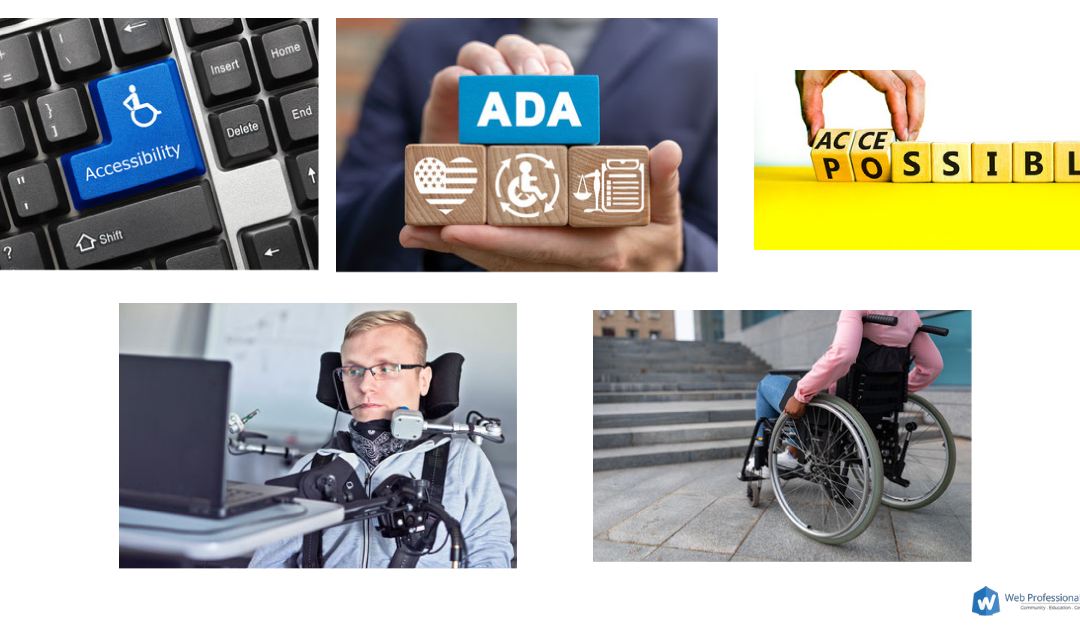
Illinois senator Tammy Duckworth sponsored the “Websites and Software Applications Accessibility Act‘ in September. This link will open in a new browser tab and is a synopsis. Although this is proposed legislation and we do not know if it will eventually become law, we (at Web Professionals Global) thought it important to mention this as we near the end of the year.
If enacted
Although the future of this law is presently not known, it is important to note some of the key aspects of this proposed legislation. This would make it unlawful for entities covered by the ADA (Americans with Disabilities Act) “to maintain inaccessible websites and applications that exclude or otherwise discriminate against people with disabilities.” There would be a clear and enforceable accessibility standard with a technical assistance center and an advisory committee. The latter would provide advice on making websites and applications accessible. A study addressing emerging technologies would also be authorized. Quotes are from the above link.
Note the mention of clear and enforceable standards. In many cases, current laws seem vague and significantly lagging behind technology. Clarity will certainly help. Note also the proposed technical assistance center and advisory committee. In our opinion, these two items have been sorely lacking from most legislation. Most businesses simply lack the resources to “figure it out” on their own.
Why now?
Given what we have experienced with the pandemic, we all should understand better what it is to be excluded from a digital environment. Accessibility is experiencing significantly increased interest and awareness these days. We suspect accessibility laws are only going to be strengthened in the near future. As practicing web professionals, we should be helping our clients understand the importance of making websites, apps, and emerging technologies accessible (augmented reality, virtual reality, NFTs and more).
Want to know more?
We recommend this great article by Lainey Feingold which discusses this legislation in much greater depth.
What are your thoughts on accessibility as it relates to emerging technologies? We look forward to reading your comments.
by Steve Waddell | Dec 9, 2022 | Member Profiles, Profiles Of Success
Web Professionals Global works with a variety of students around the U.S. and around the world. We often work with students who come to us through MyCAA, which is the My Career Advancement Account program. MyCAA is a federal program that offers assistance for military members and spouses for continued education. One of our MyCAA students is Kiaizah P., who recently earned her Certified Web Designer Associate certificate from Web Professionals Global. Our work with MyCAA learners is part of our work with workforce development organizations around the country.
Kiaizah works as a logistics specialist for the National Guard and is transitioning into her post-military career. As she began to consider life after the military, she looked at how she could transfer her skills into a new and exciting career pathway. She found the Web Design certificate and completed it to begin preparing for her professional life as a civilian. We chatted with her to learn more about her experience entering the web design field and working with Web Professionals Global.

How did you become interested in web design and the Web Design certificate?
I was interested in this certificate because I wanted to try something new while transitioning out of the military. I have no experience with web design at all, so I was really interested in learning more about it. So I was happy to find the certificate, and I am so glad I earned it. I really like when things look pretty and attractive, which is what drew me to web design. I enjoy using websites that are pleasing and easy to use, but there are so many out there that are difficult to use. Often I will have to leave a site because it is too difficult to use. I want to work on and create websites that are user-friendly.
Did you have any concerns when planning this transition from the military back to civilian life?
I was concerned about a lack of opportunity in the civilian world. While there is plenty of opportunity in the military world I knew that I didn’t want to stay in logistics, which is my current field. And I have been in the military for so many years. So I was kind of panicking and freaking out and asking myself, “What can I do?” The biggest thing for me was just reaching out and seeing what resources are out there for military members like myself. There are many opportunities for education and employment as well as partnerships to help out. They weren’t right in front of me, but I used Google and just went and found them for myself. I also realized that I had transferable skills from the military that I can use in my civilian life. That’s what I would recommend for anyone else who is looking for a career change post-military.
How was your experience earning the Web Design certificate?
I really enjoyed it, because I was nervous about doing online learning. I am used to being very hands-on when learning. I also didn’t know how it would go being self-paced. But I love how I was able to earn the certificate as I went through the course. The curriculum taught me everything I needed to be prepared for the exam.
Did you enjoy hearing from industry professionals throughout the process of earning the certificate?
It was great hearing different points of view from industry professionals. I appreciate hearing from those with years of experience because it can be a bit intimidating and overwhelming learning something completely new in which I have no experience. Hearing from other professionals about how they didn’t know everything at first and had obstacles to overcome was really helpful. It’s motivating to know that there are other people who went through what I am going through now.
What would your advice be for other military members who are considering getting into a creative career like web design?
I would tell them to not put pressure on themselves, because it will be much easier to succeed this way. When learning something new, it often feels like it is important to know everything, study all the time and pass tests with flying colors. Of course it is important to do all of this, but you can do so without overwhelming yourself.
What was it like working with Web Professionals Global?
It was an awesome experience. I want to thank Web Professionals Global for making it so enjoyable to enter the world of web design and earn my certificate.
Mark DuBois, Executive Director of Web Professionals Global, said, “We are thrilled to work with Kiaizah and other veterans who are planning their post-military careers. The world of web offers so many opportunities in design, development, animation, app development, and much more. Veterans have so many intrinsic transferable skills to bring to our profession, and part of our work is to help them bring those skills to civilian web careers. When we started the association years ago, we committed to developing community and education as well as delivering certifications that industry can rely on. We work closely with workforce development organizations to support adult learners who are looking to switch careers, build their skillset, or transition from the military or a different career field. We are always happy to welcome another member into our ranks.”
Take the Next Step in Your Career
If you are interested in exploring exciting career pathways and certificates related to the web, contact us today. We would love to talk with you about how we can help.
by Mark | Dec 5, 2022 | Web Security
December is already upon us. WOW. Let’s take a moment and focus on security. After all, passwords are like underwear – they should be changed frequently. Sure, I get that. And I can set all my passwords to either:
- be the same across all sites (definitely not a good idea), or
- ignore this advice and never update my password (also, definitely not a good idea).
OK, what if I want to change my passwords periodically but suffer from any sort of memory issues. How can I:
- use a unique password for each site I use,
- keep my passwords (actually passphrases) long and complex, and
- remember to change them from time to time?
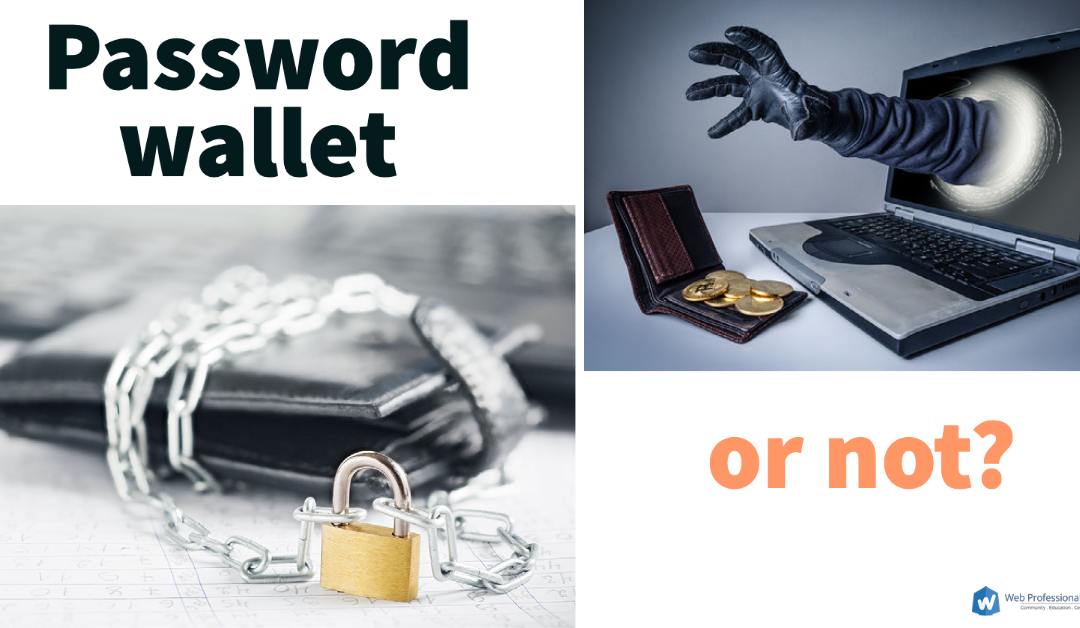
Short answer – use a password wallet.
What is a Password Wallet?
In the same way you probably keep your folding money in an actual wallet and keep it close to you, a password wallet is a secure spot to store your passwords. It is a bit of software. It can be available only to you (perhaps on a USB drive – you recall those, don’t you) or it can be stored in the cloud (someone else’s computer). Regardless, access to the password wallet is controlled by a password (or preferably, a passphrase). Unless you know the password/ passphrase to access the wallet, the contents are not readily accessible. In a similar manner, the folding money in your wallet is not readily available to the world. Generally, contents in a password wallet are encrypted. This means if the data store is ever stolen, it is not of any use unless one knows the access word or phrase.
Yes, many browsers provide the ability to store your passwords these days. Many operating systems also provide this capability. That is always one alternative. Although we are not recommending/ endorsing any specific technology, it is important to know what options are available beyond your browser or operating system. Some examples of password wallets include:
- KeePassXC (you can store your access credentials on a thumb drive). This software is open source and OSI certified.
- LastPass (there are free and paid versions).
- NordPass (if you use Nord as your VPN, this paid version may be appropriate).
There are many other choices, Search engines are helpful, aren’t they?
Selection Criteria
Once you decide to that it might be useful to store your passwords in a secure wallet, here are some things to consider (this is not a complete list).
- How secure is my data? Does the wallet securely encrypt the contents? If you forget your password/ passphrase, you will likely not be able to access the contents. Confirm that no one can decrypt the contents (particularly if the password wallet is online).
- Is there a limit to the number of passwords/passphrases I can store? Some free versions limit you to 50 or 100 passwords. Of course, you get what you pay for.
- How much does it cost? Yes, many of these services cost. That is how they keep their software up to date (defending against the most current known vulnerabilities). Many services offer a discount if you pay annually.
- Password/ passphrase generator? The longer the password/ passphrase, typically the better. You should be able to specify the length. Also, you should be able to copy the information for a short period of time. When you use longer passwords, it is helpful to copy, then paste the contents into your browser. But, you don’t want that information remaining in your clipboard too long.
- What other services are included? Many paid options offer additional services (such as multi-factor authentication, or being able to selectively share information with family or co-workers). You decide what is necessary for you.
- Reminder to periodically change your password? It is a good idea to periodically change your passwords. Typically, we forget to do this. It is helpful if your software provides you with the ability to set a reminder for a given site.
Should I use one?
Ultimately, that decision is up to you. However, these days, one needs many passwords (and they should be unique for each site). Personally, my memory is simply not capable of remembering passwords for thousands of sites. And you want to make certain you periodically change important passwords. Those item alone likely dictate you should consider such an approach.
All this being said, I strongly recommend using 2 factor authentication in addition to a password/ passphrase on any given site. This means you must provide both your username and password along with a unique code to access a site. Most sites offer this option. Many allow you to use a technology like Google Authenticator or to receive a SMS text message with a unique code. These codes are typically only good for a minute or so.
by Mark | Nov 30, 2022 | CSS3, ECommerce, HTML5, Web Accessibility, Web Security
Here at Web Professionals Global, we hope everyone has been experiencing a successful November. It is time again to focus on a few items which caught our attention during the month. We never cease to be impressed at how quickly web technologies change. Let’s briefly focus on these areas for now:
- CSS,
- Accessibility, and
- Security
CSS
Browsers are beginning to support media query range syntax. Sure, it is not supported in all browsers on all devices yet, but knowing this is coming is huge. It should save significant time coding CSS. Instead of having to specify specific media sizes, we may soon be able to employ mathematical symbols such as >, <, <=, and so forth. Perhaps we can avoid min-width and similar bits as this is supported more and more. Readers are encouraged to follow the above link (it will open in a new tab) to learn more. Please let us know what you think about the possibilities of this via comments.
Accessibility
Adrian Roselli posted an article earlier this year on buttons, enter and space. From a user experience perspective, this is a great refresher on what happens when you use native keyboard interactions. Adrian even provides a working example (with counters). His last word in the article is something we advocate all the time – test. What are your thoughts about keyboard interactions?
Let’s not overlook e-commerce accessibility either. We came across this article specifying UI elements using roles. As many of our readers know, specifying the purpose of UI elements is critical when visitors to a site rely on assistive technologies. We thought this article provided a great number of insights and examples. We look forward to your thoughts on this topic as well.
Security
As we approach the end of the year (and many of us have to provide tech support to family and friends as they receive new devices), it might be wise to bookmark the OUCH newsletter site. Disclosure, Mark (your executive director) is one of the monthly reviewers of these articles before they go live. Each month, a security professional provides a timely overview of one aspect on security. Articles are kept short and are suitable for sharing with those not as savvy in various aspects of technology.
That is all for our November desktop view. We know your time is valuable and appreciate you reading this post. If you would like us to include additional articles or focus on additional aspects, please let us know via your comments below. Until next time…
Best always,
Mark DuBois, Executive Director
Web Professionals Global (aka World Organization of Webmasters)

by Steve Waddell | Nov 7, 2022 | Cyber Crime, Web Security
Today we are highlighting one of the emerging trends in the world of the web: cybersecurity teams dealing with burnout that is leading to increased vulnerability for individuals and organizations.
As ZDNET has reported, there has been a sharp rise in attacks and disruptions in the cyber world in recent years. Rates of ransomware, corporate espionage, and IP theft have all increased. As a result, cybersecurity professionals are experiencing high rates of burnout and both employee recruitment and retention are suffering. A recent study by Mimecast revealed roughly one-third of those who work in cybersecurity have considered leaving the profession, and it is becoming increasingly difficult to attract new professionals to the field. The shortage of qualified cybersecurity professionals has many worried that it is causing a domino effect of labor shortages across the entire IT industry.
One of the primary drivers of employee burnout is due to time and effort spent by cybersecurity teams cleaning up the mistakes of others. A 2020 study conducted by Tessian and Stanford University showed that nearly 90% of data breaches are caused by human error, which puts increased pressure on IT and cybersecurity teams. The Mimecast study found that over half of cyber attacks cost more than $100K to fix, which is comparable to what many companies spend on their cybersecurity plan. Additionally, cyber attacks often attract significant negative media attention, such as the Colonial Pipeline attack in May 2021.
Of course, this issue grows more complicated as more individuals work from home and may not be using a business computer for all their work.
Developing a Cybersecurity Plan
Web Professionals Global has been deeply involved in raising awareness of cybersecurity issues for web professionals, including this article in which we discussed safe practices regarding passwords and security. It is crucial that web professionals stay up to date on the latest cybersecurity trends to avoid data breaches and more. And companies and organizations must ensure they keep employees informed and aware of risks they may encounter, whether working from the office or from home. This may include increasing budgetary resources for more frequent and adequate cybersecurity training. After all, any organization is only as strong as its weakest link.
Web professionals can do the following as a start to protect against cyber threats:
- Keep software up to date
- Keep anti-virus protection up to date
- Use unique passwords
- Use two-factor authentication (2FA)
- Back up data regularly
- Avoid using public wifi networks (where possible, use a VPN)
- Avoid mixing personal and work accounts and devices
Career Pathways in Cybersecurity
You might be interested in exploring what it is like to work in the world of cybersecurity. It is a high-paying and in-demand career path due to the reasons we have discussed in this article. According to the U.S. Bureau of Labor Statistics, information security analyst hiring is expected to grow 35 percent from 2021 to 2031, faster than the average for other career tracks. This equates to almost 20,000 openings for information security analysts each year. As of May 2021, the average salary for the profession was just over $102K. Web developers are right behind, with a projected 30% rate of growth over the same period of time. Cybersecurity is an industry that will need talent for many years to come.
Contact us Today
Our work in cybersecurity is core to our mission of “Community, Education, Certification.” We are committed to training web professionals to fill the skills gaps in cybersecurity and other web sectors. To learn more about Web Professionals Global and our work in cybersecurity and other areas, contact us today.
by Mark | Oct 30, 2022 | CSS3, Industry News, JavaScript, Web Accessibility, Web Security
It has been some time since I posted some thoughts on the current state of web technologies. A lot has happened during recent months. Let’s focus on several key areas:
- web accessibility,
- security,
- JavaScript,
- and CSS.
More areas may be the focus of subsequent articles. Stay tuned. As always, we at Web Professionals Global are interested in what you think. Let us know in the comments or contact us directly.
Web Accessibility
WCAG 3 has been released as a draft (published in December, 2021). Latest editors draft updated as of July, 2022. The approach is iterative with content ranging from temporary (just a placeholder for future content) to mature (ready for publication). This version is somewhat evolutionary in that it will be easy to understand and provide guidance. A key differentiator is that this version has a broader scope (beyond web content). I encourage you to view the above links and consider helping develop the next version of Web Content Accessibility Guidelines.
Of course, there is also a new ARIA authoring practices guide website. Lots of patterns and resources. Check it out.
Security
This is a bit beyond web security, but definitely something readers should be aware of – ransomware attacks which target home PCs (delivered by fake Windows 10 or anti-virus updates). This is called Magniber (details can also be found at this ZDNet article). Essentially, a visitor is directed to a website (although it looks legitimate, it is controlled by malicious individuals). That site informs the visitor their computer operating system or software is out of date and they need to update it as soon as possible. The visitor is tricked into downloading a malicious JavaScript file which contains the malware payload. Once installed (via as technique called DotNetToJscript) the individual’s hard drive is encrypted. They are directed to a link to negotiate payment to recover their contents. More details can be found in the above article.
As web professionals, we should remind ourselves (and our clients of some fundamental tactics which help mitigate these sorts of attacks.
At a minimum, never act on anything that purports to have an extreme sense of urgency. That is what malicious individuals want. Act before you have a chance to think about the implications. It is also good practice to never click on links in emails or text messages. Instead, open a browser and type the site directly (or use a reliable search engine). Lastly, only install updates from trusted sources (and use the traditional channels where those updates are distributed).
JavaScript
The creator of JSON made an interesting comment about JavaScript a couple months ago. Douglas Crockford stated that “The best thing we can do today to JavaScript is to retire it.” Yes, JavaScript is the world’s most popular programming language (used by over 65% of developers according to a StackOverflow survey). Yes, it is bloated (and is becoming more so over time. However, it powers the majority of web sites. Of course, JavaScript is supported in every browser so making a change to something else would be a monumental undertaking. We are curious what your thoughts are about JavaScript. Is Douglas Crockford correct? Please discuss in the comments below.
CSS
Remember the days of aural style sheets (yes, they were a thing). Of course, no browsers supported them. However, a recent article (October, 2022) has raised some hope for me again. Why we need CSS speech is the article. What are your thoughts about CSS speech? Again, reach out to us in the comments.
Of course, there are many enhancements in the works for CSS. These include items such as:
- The ability to nest selectors is presently in the works. This is possible a good way to organize your CSS code. Of course, no browsers yet support this.
- Cascade layers (which give authors the ability to group their CSS and affect how the cascade applies). The linked article should give you a much better understanding. This is like nesting selectors, but much more. Is this feature ready for prime time? No, but you might want to start learning about them.
- CSS subgrid allows for styling on a page to inherit the parent’s grid styling. MDN has a nice overview with examples. That is the reference linked at the start of this bullet.
Now you know a little more about what is happening with respect to web accessibility, security, JavaScript, and CSS. Please let us know if you find this information helpful and provide more thoughts in the comments below.
Best always,
Mark DuBois, Executive Director
Web Professionals Global (a.k.a. World Organization of Webmasters)
by Steve Waddell | Oct 18, 2022 | Web Pro Education
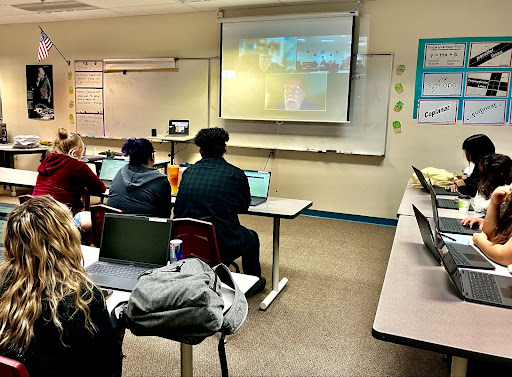
The Web Professionals Global Organization is proud to work with schools all over the U.S. Today we are highlighting Rocio Reyes, who teaches at the Las Cruces New America School Charter High School in Las Cruces, New Mexico. Rocio’s students are currently working through an animation course and earning Web Animator Certifications from the Web Professionals Global Organization. Executive Director Mark DuBois recently had the chance to speak to Rocio’s class in a video call to share thoughts and answer questions about what it means to be a web professional.
The Web Professionals Global Organization has worked with a number of charter schools like Las Cruces New America School over the years. Parents choose charter schools because they offer something different than traditional schools. Charter schools are often looking for ways to give their students an edge and enable them to set themselves apart in university, community college and the world of work. Rocio saw an opportunity to give her students a chance to set themselves up and stand out through international industry recognized certifications, and the Web Animator Certification does just that.
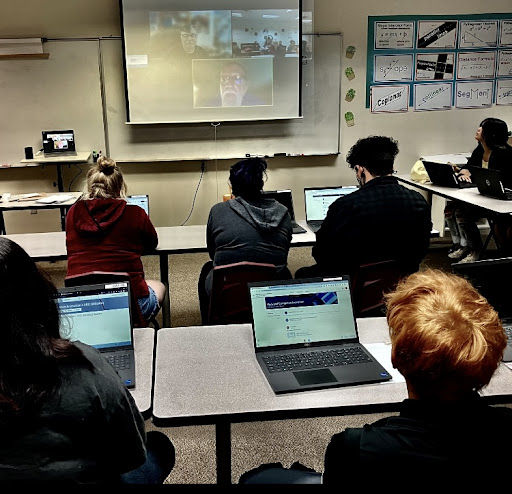
Mark and Steve Waddell of CTeLearning spoke with the class about what it means to be a web professional, the importance of certifications, and how the Animation coursework helps prepare them for future educational and career pathways. Thanks to the Learn and Earn partnership led by CTeLearning and the Web Professionals Global Organization, students in Rocio’s classroom are earning Web Animator Certifications for free. These certifications normally cost $100 per student. The certification costs are underwritten by a partnership between the association, some benevolent industry professionals and CTeLearning. School administrators and teachers love how the model gives students the opportunity to earn valuable credentials without overhead costs for the school or parents.
The students heard about how valuable it is to have industry certifications that employers look for, as opposed to certifications designed by testing companies that don’t measure real-world skills. These certifications prepare the whole learner, ensuring students are proficient in animation while also equipping them to work with others in their professional careers. Mark and Steve talked about how important soft skills like communication are in the global economy, where so many people work with colleagues in other time zones and countries around the world. Being well-equipped to meet both technical and non-technical challenges will make these students attractive job prospects one day.

Rocio said, “Everyone here at LCNAS is looking for a way to give our students a great education, and that includes the confidence and esteem that comes with getting industry credentials. As their teacher, I have to find ways to help my students be future proof. COVID-19 taught us all that we cannot predict the future, but getting my students industry certifications is a way to give them more flexibility regardless of what happens next year or five years from now. Certifications also help them with their college applications. Universities and companies are looking for individuals who stand out, and I want all my students to stand out. I would like to thank my administration for helping me to make this career-building experience happen here.”
Mark talked about how these students are preparing for their futures: “It is always a pleasure to get to chat with future web professionals. The Web Professionals Global Organization is proud of all of our students who have worked through our career prep certification programs. These students realize that they can begin to improve their future educational and career prospects in the classroom and build real-world projects to take with them on whatever the next steps of their journeys might be. The CTeLearning Animation course and our Web Animator Certification prepare students with not only technical skills but also soft skills that are so important for career success in the global economy. The future for these students in our industry is bright.”
Connect with us Today
The Web Professionals Global Organization is proud to award certifications to students in middle schools and high schools as well as adult learners across the country and around the world. If you or someone you know is interested in learning about the rapidly changing world of the web, contact us today. We would love to speak with you.